Four methods cover how to check if a domain name is available: a registrar’s search box, a WHOIS lookup, a direct DNS query, or a bulk checker for handling multiple names at once. Each one answers the same underlying question from a slightly different angle, and picking the right one for the situation cuts out a lot of unnecessary guesswork.
Most guides stop at “type it into a search bar.” That covers maybe half the picture. The other half, why a name can look taken when it isn’t, why “available” doesn’t always mean what people assume, and how to check dozens of names without doing it one at a time, is where this one picks up.
Nothing here wanders into anything else domain-related outside checking availability itself. Just the methods, the pitfalls, and what a confirmed answer actually looks like.
What “Available” Actually Means for a Domain
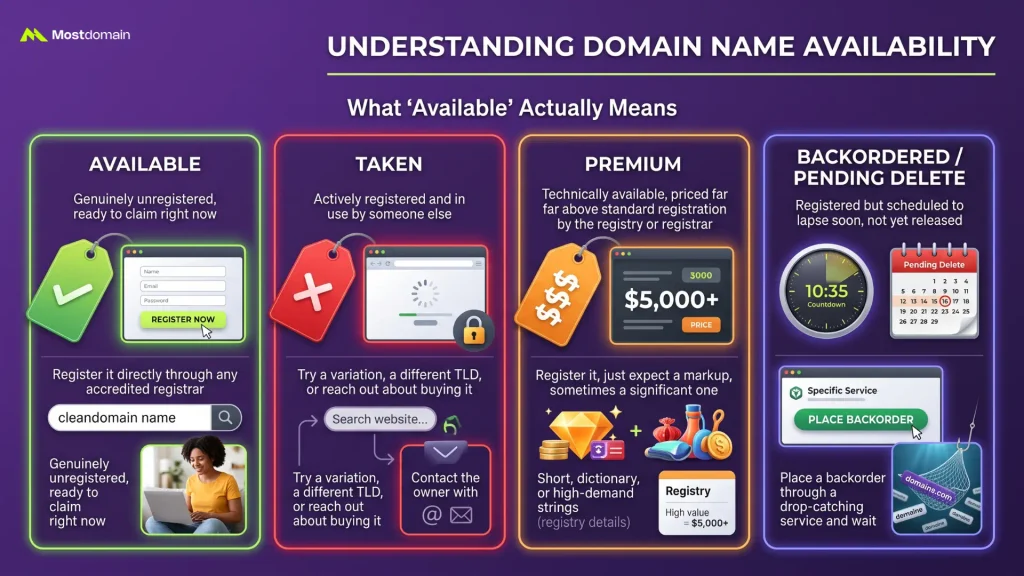
Unregistered anywhere in the world is what “available” technically means for a domain, with nobody currently holding rights to that exact string on that exact extension. That sounds simple until the actual results start showing categories beyond a plain yes or no.
Available vs. Taken vs. Premium vs. Backordered
Four different statuses tend to get lumped together as just “taken,” and mixing them up leads to wasted time chasing the wrong option.
| Status | What It Actually Means | What You Can Do |
| Available | Genuinely unregistered, ready to claim right now | Register it directly through any accredited registrar |
| Taken | Actively registered and in use by someone else | Try a variation, a different TLD, or reach out about buying it |
| Premium | Technically available, priced far above standard registration by the registry or registrar | Register it, just expect a markup, sometimes a significant one |
| Backordered / pending delete | Registered but scheduled to lapse soon, not yet released | Place a backorder through a drop-catching service and wait |
A name showing up as “premium” isn’t a bug or a scam attempt. Certain short, dictionary, or high-demand strings get flagged that way automatically by the registry itself.

Using a Registrar’s Search Tool First
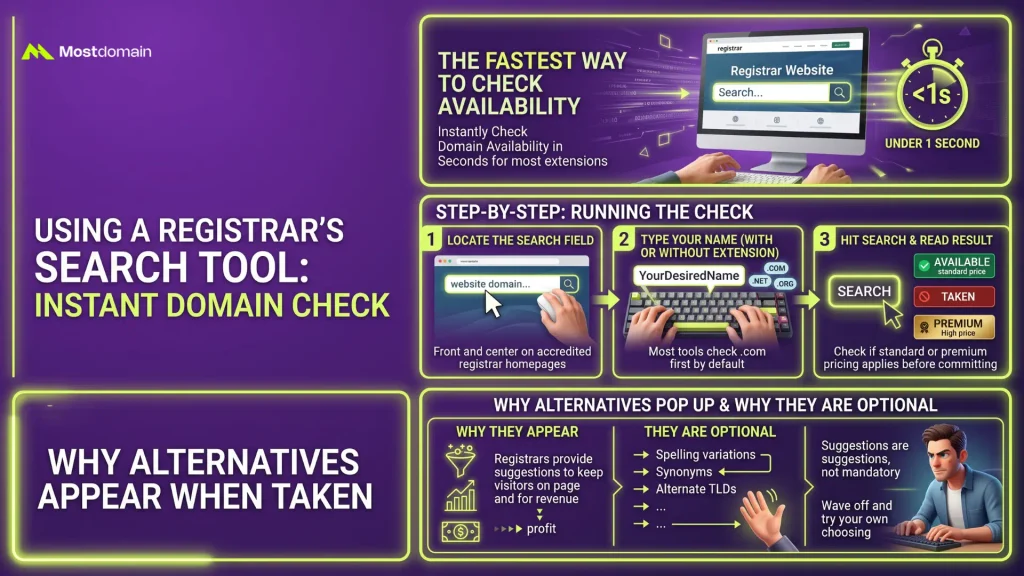
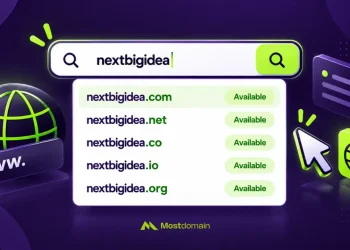
The fastest way to check availability, hands down, is typing a name into a registrar’s search box, with a result returning in under a second for the vast majority of extensions.
Step-by-Step: Running the Check
- Go to any accredited registrar’s homepage and locate the domain search field, usually front and center
- Type the name with or without the extension; most tools default to checking .com first if none is specified
- Hit search and read the result: available, taken, or premium usually shows up immediately, color-coded on most platforms
- Note the listed price if it shows as available, since that number confirms whether it’s standard or premium pricing before committing further
Why Alternatives Pop Up the Moment a Name Is Taken
Keeping a visitor on the page after a rejection is good for a registrar’s bottom line, which is exactly why a taken result almost always drags along a list of spelling variations, synonyms, or alternate TLDs. None of it is mandatory to consider. Plenty of people wave off every suggestion and just try a different extension of their own choosing.
Double-Checking With a WHOIS Lookup
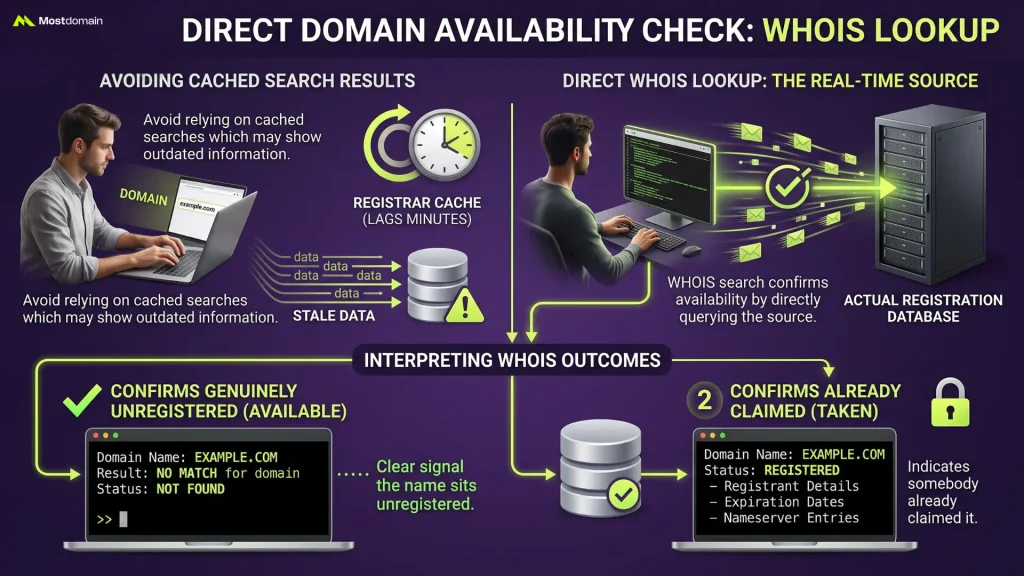
Searching the actual registration database directly is what a WHOIS lookup does to confirm availability, sidestepping a registrar’s cached search results, which occasionally lag behind by a few minutes.



What a “No Match” Result Actually Confirms
“No match for domain,” “NOT FOUND,” or something worded similarly coming back from a WHOIS query is about as clear a signal as it gets that a name sits genuinely unregistered. Anything else, actual registrant details, expiration dates, nameserver entries, means somebody already claimed it.
WHOIS Lookup: Understanding Domain Information breaks down every field inside a full WHOIS record for anyone who wants that level of detail once a domain does come back registered.
What DNS Tools Can (and Can’t) Tell You
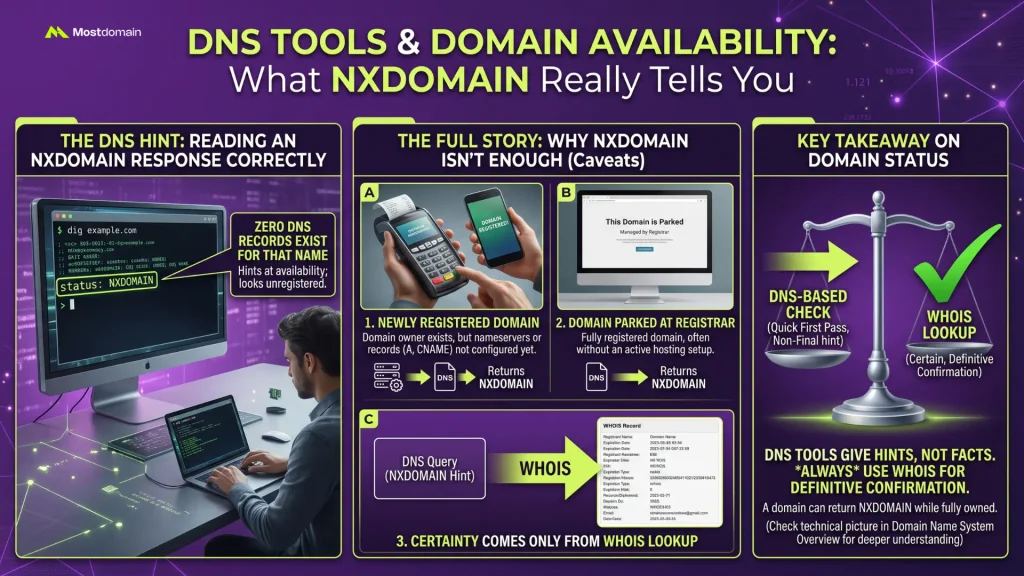
An NXDOMAIN response from a tool like dig or nslookup hints at availability by showing that no DNS records exist for a name at all, though this particular method comes loaded with a caveat worth understanding before relying on it.
Reading an NXDOMAIN Response Correctly
Running something like dig example.com and getting NXDOMAIN back means zero DNS records currently exist for that name anywhere. A genuinely unregistered domain shows exactly that.
Why That Response Isn’t the Full Story
Most guides skip this part entirely, and it’s the one worth actually reading. NXDOMAIN only proves no DNS records exist right now; a domain can sit fully registered, owner and all, while still returning that exact same response.
- A newly registered domain with no DNS records configured yet will return NXDOMAIN despite being owned by someone
- A domain parked at a registrar without an active hosting setup often shows the same empty DNS response
- Certainty about actual registration status only comes from a WHOIS lookup, never from a DNS query alone
- Domain Name System Overview gets into exactly what NXDOMAIN means at the protocol level, for anyone wanting the deeper technical picture of how DNS resolution actually works
A DNS-based check works fine as a quick first pass. It just shouldn’t ever be treated as the final word on whether a name is truly free to register.
Checking Multiple Domain Names at Once
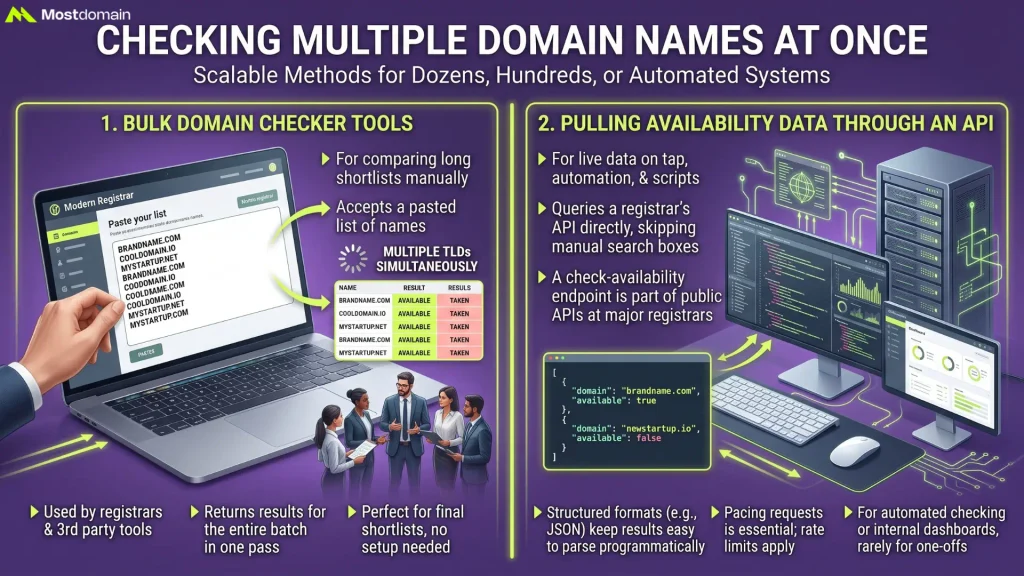
Checking names one at a time stops making sense past a handful of options, and bulk tools exist specifically to return dozens or hundreds of availability results in a single pass.
Bulk Domain Checker Tools
Most major registrars, along with dedicated third-party tools, accept a pasted list of names and return availability for the entire batch at once, often across several TLDs simultaneously per name. This is the practical choice for anyone comparing a long shortlist rather than one or two finalists.
Pulling Availability Data Through an API
Anyone building something that needs live availability data on tap, a naming tool, an internal dashboard, an automated monitoring script, generally skips manual search boxes and queries a registrar’s API directly instead.
- A check-availability endpoint ships as part of the public API at most major registrars
- Structured formats, usually JSON, are how results come back, keeping them easy to parse programmatically
- Pacing requests still matters even with API access, since rate limits apply and thousands of names can’t all be checked at once
- This route earns its complexity mainly for automated or repeated checking; a one-off search rarely justifies setting up API access in the first place
Looking Beyond a Single Extension
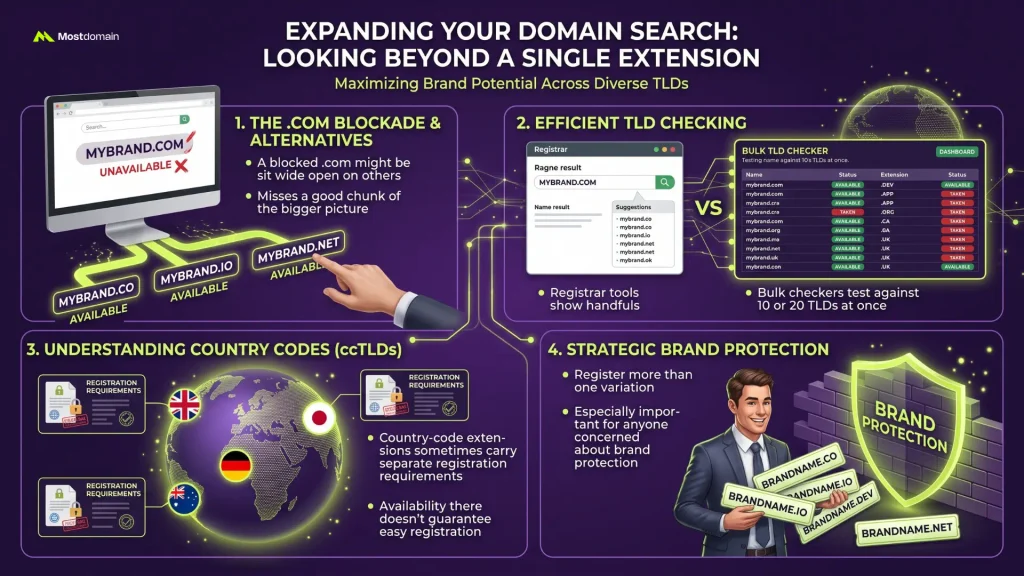
A name blocked on .com might sit wide open on .co, .io, or a dozen other extensions, so checking one TLD in isolation misses a good chunk of the bigger picture.
- Most registrar search tools automatically show a handful of alternate extensions alongside the primary result
- Bulk checkers handle this even better, letting one name get tested against ten or twenty TLDs in a single query
- Country-code extensions sometimes carry separate registration requirements, so availability there doesn’t guarantee the same ease of registration as a generic TLD
- A name available across several extensions at once is worth grabbing more than one of, especially for anyone concerned about brand protection
What a New Brand Needs to Verify Beyond the Domain
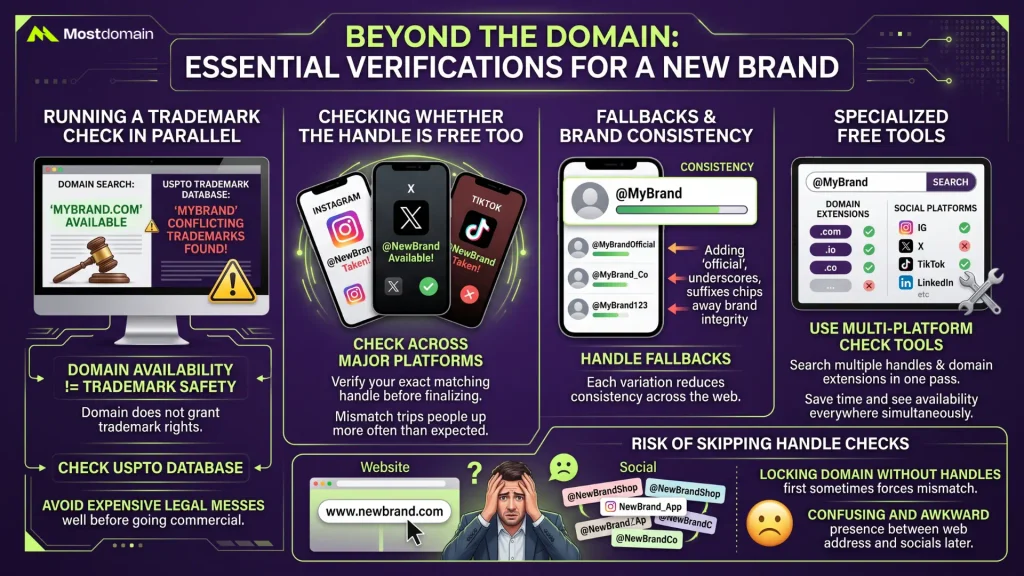
A domain check alone leaves gaps a new brand genuinely needs covered, since a name can be technically free to register while still causing real headaches down the line.
Running a Trademark Check in Parallel
Trademark rights don’t come attached to a domain registration at all, and a name that’s perfectly free to register can still infringe on an existing trademark the moment it goes into commercial use. A quick pass through the USPTO’s trademark database alongside the domain check catches this early, well before it turns into an expensive legal mess.
Checking Whether the Handle Is Free Too
A free domain means little if the exact matching handle is already claimed across every major platform, and that mismatch trips people up more often than expected.
- Check the exact same name across Instagram, X, TikTok, and any platform relevant to the specific business before finalizing anything
- Slight variations, adding “official,” an underscore, or a short suffix, work as common fallbacks, though each one chips away at brand consistency
- Several free tools exist specifically to check a name across multiple social platforms and domain extensions in one pass
- Locking in a domain without checking handles first sometimes forces an awkward mismatch between web address and social presence later
Mistakes That Trip People Up During This Process
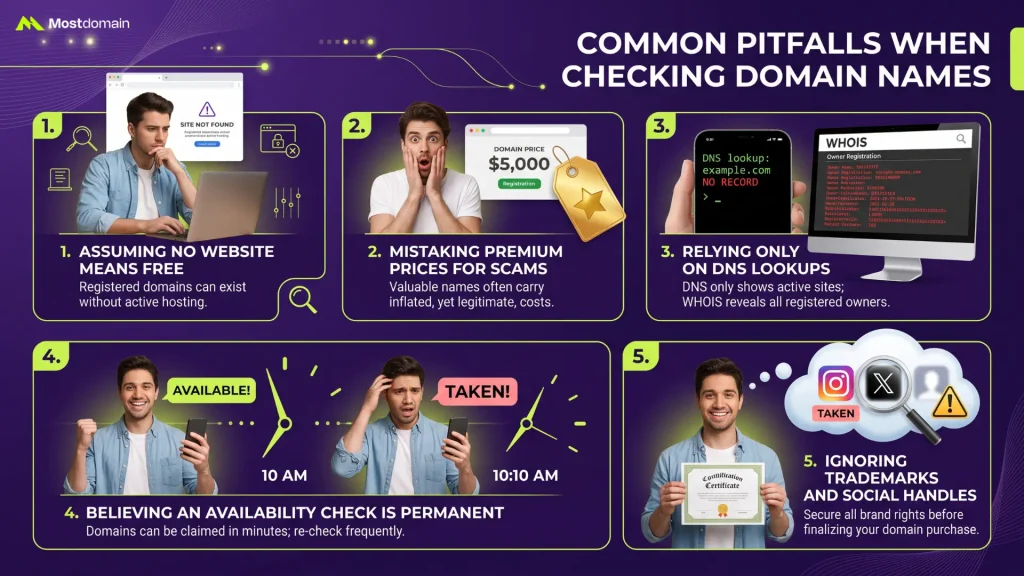
A handful of avoidable errors account for most of the confusion people run into while checking domain names.
- Assuming a domain sits free just because a website doesn’t load at that address; a registered domain with no active site still shows as taken
- Treating a premium price tag as a mistake or scam rather than a normal, if inflated, registration cost
- Relying only on a DNS lookup and skipping WHOIS confirmation, missing registered-but-unhosted domains entirely
- Checking a name once and assuming the result stays valid indefinitely; availability can change within minutes if a name is genuinely in demand
- Forgetting to check trademark or social handle availability until after money has already been spent on the domain itself
Once Availability Is Confirmed
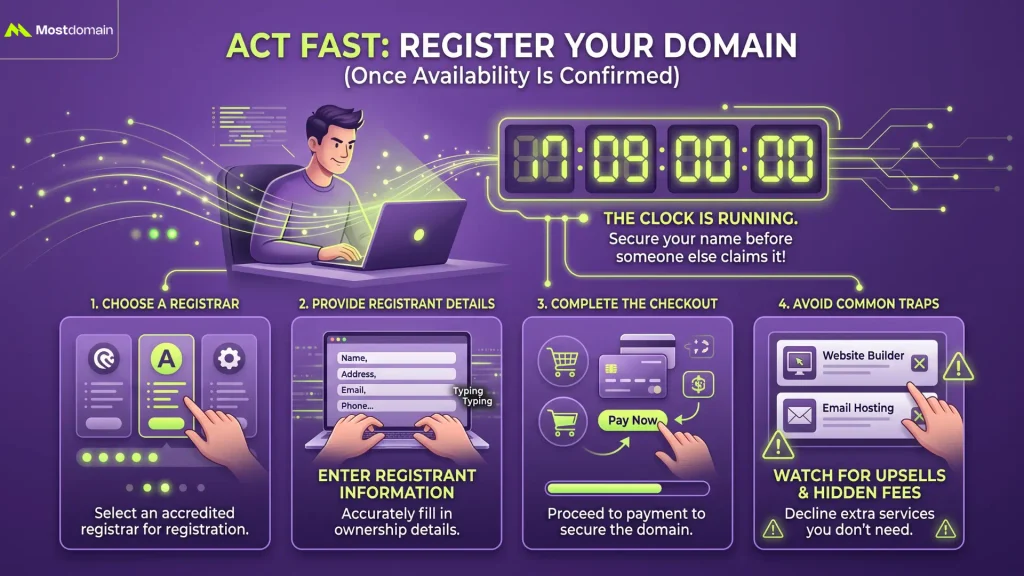
The clock starts running the moment availability gets confirmed, since a genuinely open name can still get claimed by someone else at any point until it’s actually registered. How to Register a Domain Name picks up exactly there, choosing a registrar, entering registrant details, and getting through checkout without tripping over the common traps along the way.
FAQ
How long does a domain stay available once confirmed?
No fixed window exists. A niche, unremarkable name might sit available for months, while a short, brandable, or trending one can vanish within minutes of someone else checking it.
Can two people check the same domain at the same time?
Yes, and nothing gets reserved by checking. A name only locks in once actual registration and payment happen, so simultaneous checks by different people are entirely ordinary and cause zero conflict.
Why does a domain show as available on one registrar but not another?
Propagation delay across registrar databases occasionally causes this, though it’s rare and usually resolves within minutes. A genuinely available domain should show consistently across every accredited registrar almost immediately.
Is checking domain availability free?
Free across the board, without exception. Registrars, WHOIS services, and DNS tools never charge for a check; payment only shows up once actual registration begins.
Does checking a domain’s availability notify the current owner?
No. WHOIS lookups, DNS queries, and registrar searches are all passive; none of them alert anyone that a check took place.
References
- Wix, How to check if a domain name is available: find a domain name you love
- Network Solutions, How to check if a domain name is available: Step-by-step guide
- Truehost, How to Check If a Domain Name Is Available (Step-by-Step)
- TechRadar, How to find out if a domain name is available